Turn your Excel spreadsheet into a product catalogue
You already have the stock list. Here is how to make a catalogue from it in Excel, and how to turn it into one your buyers browse online.
Try it with your own sheetFree to try. Your sheet is not saved.
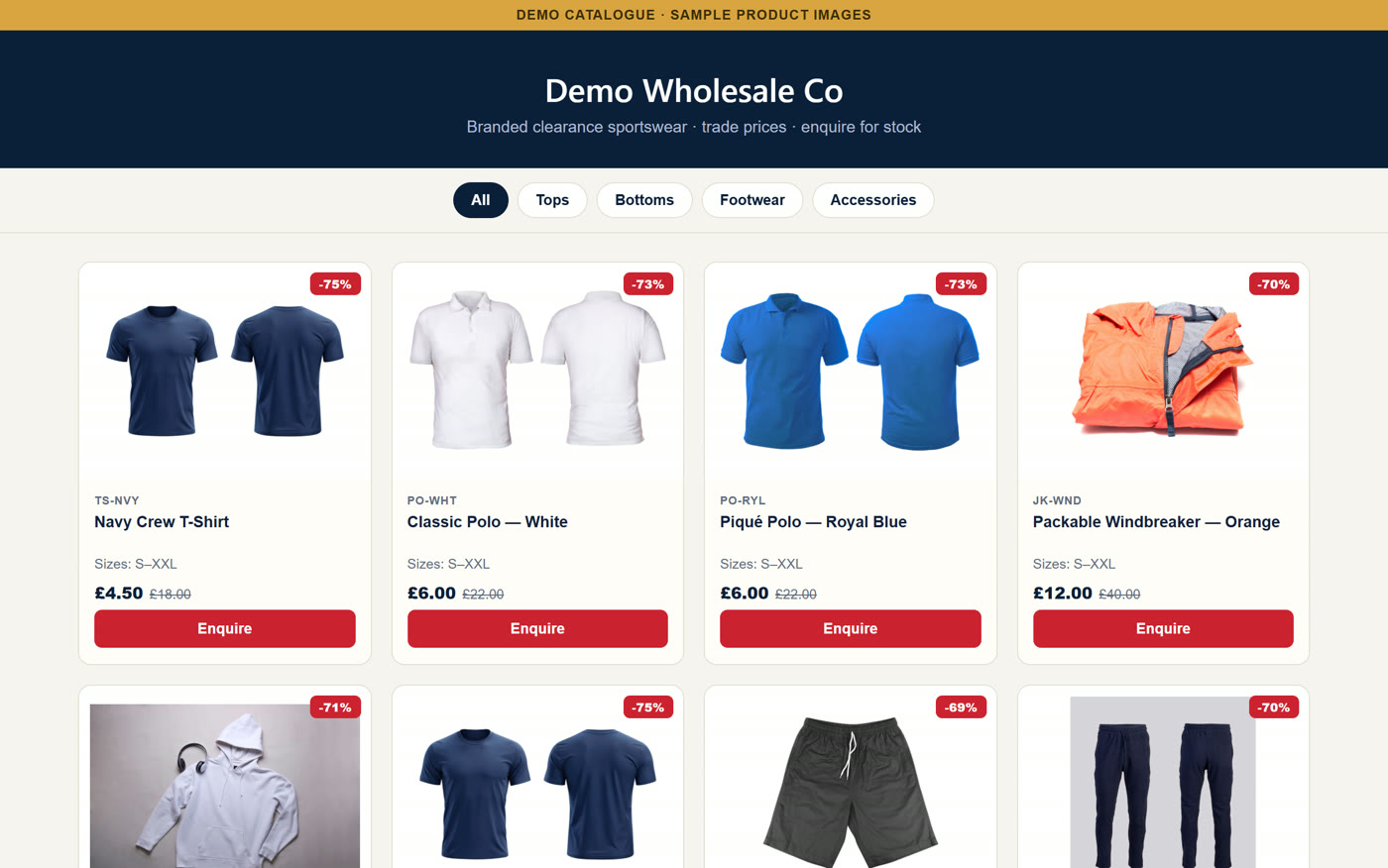
How to make a product catalogue in Excel
If you want a file to print or send, Excel can do it.
Clean up your list
One product per row, with a code, name, price and stock.
Add photos
Choose Insert, then Pictures, and drag each photo into its row.
Group your range
Sort by department, so buyers can find what they need.
Save as a PDF
Set the page to fit A4, then choose File, then Print.
Where an Excel catalogue falls short
It works well for a short range that rarely changes. These are the usual problems as you grow.
New stock means starting again
Every delivery means updating the sheet and making a new PDF.
Old copies stay in use
Buyers can order from a version you sent weeks ago.
Hard to read on a phone
A wide spreadsheet or long PDF means a lot of zooming.
Orders come in every way
Calls, emails and messages all need typing up by hand.
How to turn your sheet into an online catalogue
With CatalogueGen, your spreadsheet becomes the catalogue.
Upload your sheet
Excel or CSV, in the layout you already use. Column names can differ.
Your catalogue goes live
Your products appear with photos, prices, sizes and stock.
Buyers browse on their phone
They pick what they want and tap to enquire.
New stock in? Drop the sheet in
Upload the new list and your catalogue updates.
A website that updates itself from your stock list.
A PDF catalogue is out of date the moment new stock lands. Then you make another one, send it round and answer the same questions on the phone.
CatalogueGen turns your stock list into a catalogue your buyers browse on their phone and tap to enquire. It works with the spreadsheet you already keep.
No card needed. Done-for-you set-up. Our team builds your catalogue. Free set-up for a limited number of new customers each month. Worth £149. To start, send your stock list to info@cataloguegen.com.
Frequently asked questions
Can I make a product catalogue in Excel?
Yes. Keep one product per row, add photos, then save it as a PDF. It suits a short range that rarely changes.
Do I need to change my spreadsheet to use CatalogueGen?
Usually not. CatalogueGen reads the sheet you already use, and your columns do not need exact names.
Can photos come from my spreadsheet?
Yes. CatalogueGen can use photos placed in the sheet, or photo web addresses in a column.
Do you have a template I can start from?
Yes. Our free wholesale price list template is already in the right format.